The system holds the data. The know-how is somewhere else.
People switch between the system they work in, a folder of guides and the colleague they ask, and the answer is rarely where they’re looking.
Services Custom tools and software
Most businesses run on a patchwork: a system of record, a folder of guides, a spreadsheet someone keeps and training that lives somewhere else. We build tools that sit across it. They connect to the systems you already run, put the right guidance beside each step, and turn what people do into a record the business can use.
You’ll recognise this
People switch between the system they work in, a folder of guides and the colleague they ask, and the answer is rarely where they’re looking.
A course explained the process on day one. Then a real case doesn’t match the example, and people are on their own.
Checklists on paper, photos on WhatsApp, updates by email, and a manager piecing together what actually happened.
Connected, not standalone
Off-the-shelf software does one job and stops at its edges: training in the LMS, guidance in a shared drive, the record in the ERP. We build around the task instead, so the person doing the work sees what they need, does it and leaves a record, without opening five things or retyping anything.
Asset registers, HR, stock, CRM and price lists. The tool draws on the data you already keep instead of asking for it again.
Findings, completions and requests go to the system that owns them, through its API or an agreed import, so nobody retypes them.
The part of the procedure that applies appears beside the task, with its source and version, so people can trust it.
Practice, feedback and quick guides inside the tool, so people learn while the work gets done. Completions can still report to your LMS.
Where it helps, AI drafts, checks or suggests the next step. A person confirms it, and the record shows who did.
The phone on the shop floor, the tablet on site, the laptop at the desk. In your brand, and built to stay editable.
Three tools, explained
We built three working concepts to show the idea. Each one starts with a task, joins the systems around it and keeps the learning inside the work. Here is what each one does, what people usually make do with instead, and what it would connect to.
01 Retail operations
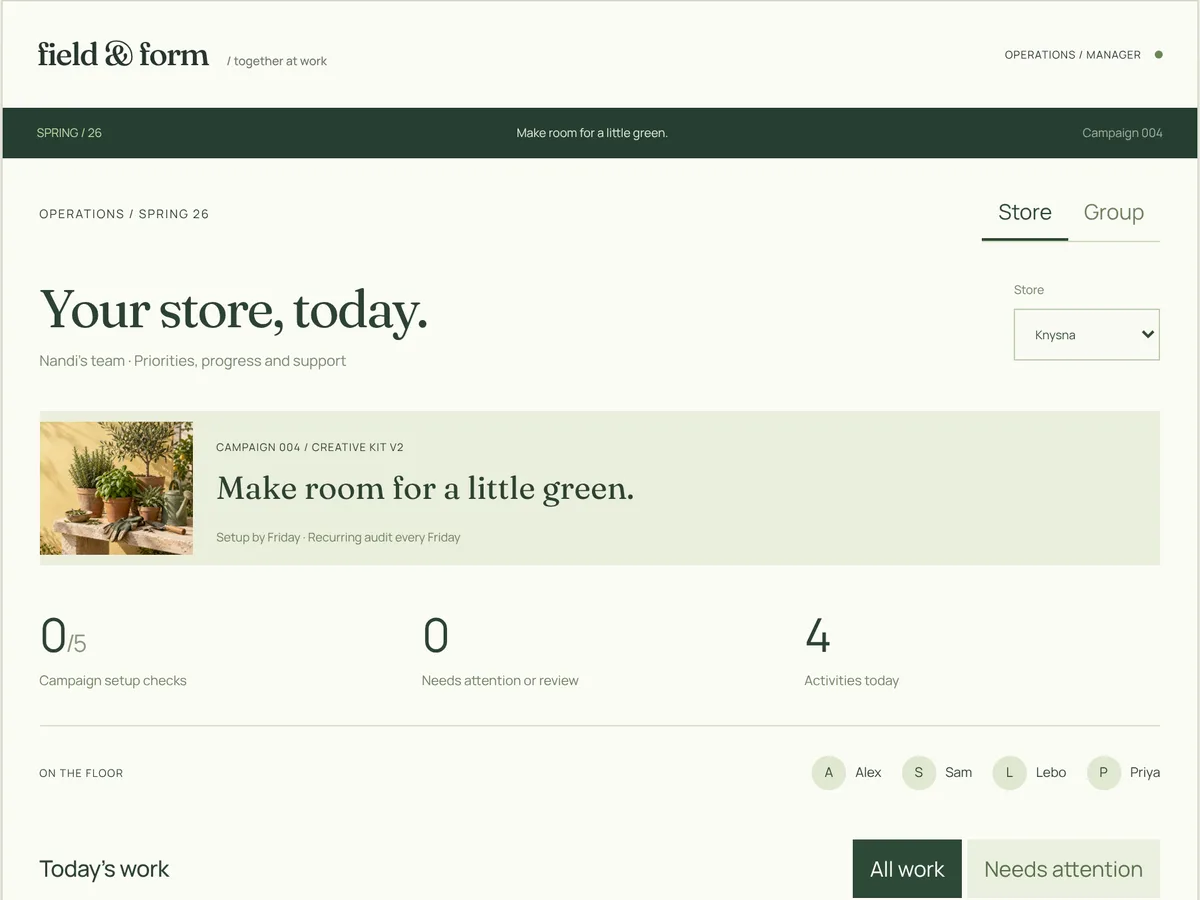
Marketing launches a spring campaign. Each store sees the creative, the reason behind it and what to set up, then works through the setup checks, adds a photo of the display for a second opinion and records any correction. The store manager sees the day’s work in one view, and head office can see which stores are ready.
What people usually have
A campaign pack emailed to store managers, a planogram PDF, a WhatsApp group for display photos, and someone at head office chasing a spreadsheet to find out who has done what.
What connecting it changes
The brief, the task, the evidence and the team view are one connected thing. When marketing revises the brief, every store’s task shows the change and who made it. Feedback on a photo points to the line of guidance it is based on, and prices are checked against the price list, not guessed from a picture.
What it would connect to
Learning built in
Every step carries its own “why this matters”, written from the brief. Recurring checks keep the standard alive after launch week, so the campaign is still right on its last Friday.
02 People and onboarding
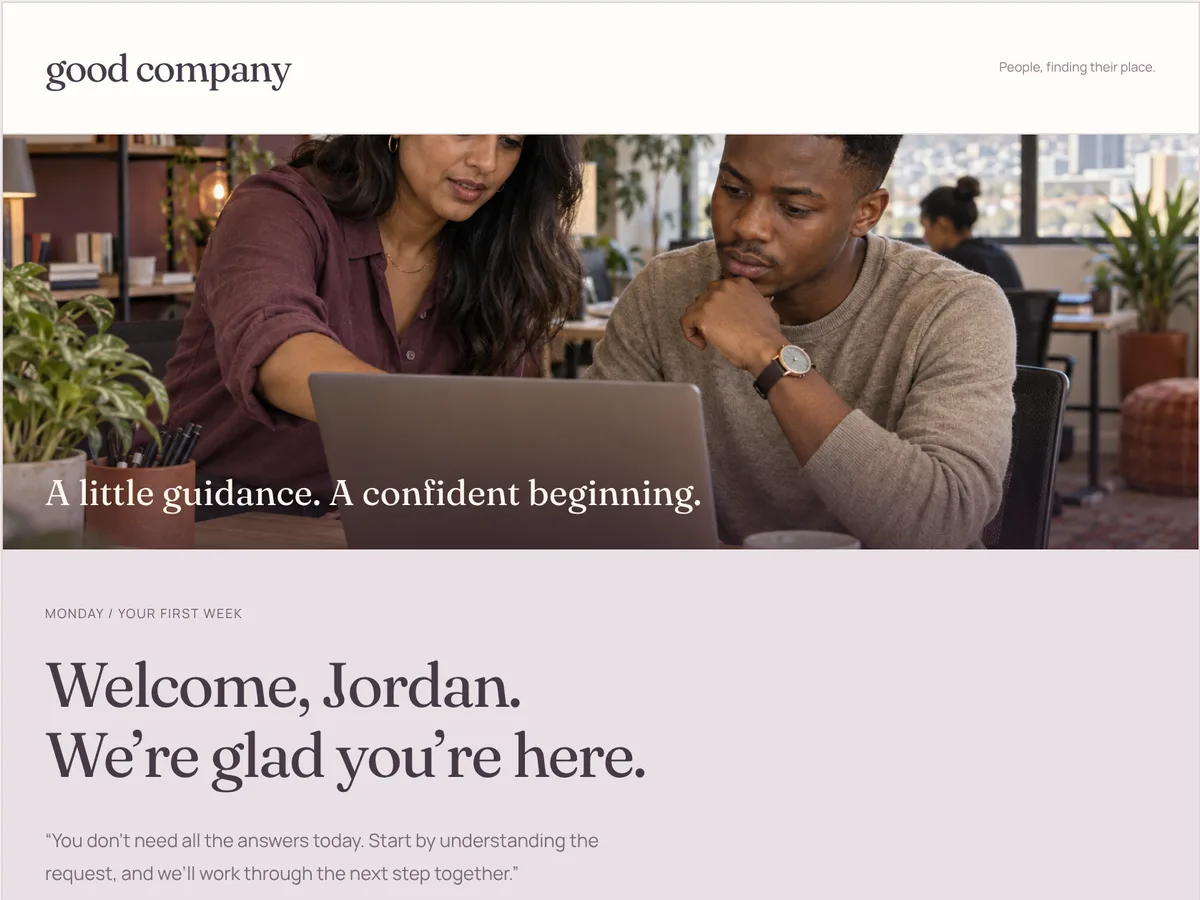
A new coordinator is welcomed by name, meets their mentor and gets a path built for their role. Their first task is a real one: turn a changed customer request into a clear handover. They draft it, AI reviews it against the team’s own handover guide, they revise it, and their manager sees the whole cohort’s progress and who needs support.
What people usually have
An induction slide deck, a login to the learning system, a buddy who is busy with their own work, and a first real task attempted with no feedback until something goes wrong.
What connecting it changes
Practice happens on the kind of work they will actually do, reviewed against your standard rather than a generic quiz. The review shows the guide and version it used, so it can be trusted and challenged. The manager sees common gaps across the group, not just completion ticks.
What it would connect to
Learning built in
The course and the job are the same place. What is learned on Monday is practised on a real handover by Wednesday, with help one tap away, and completions still report to your learning system.
03 Field service
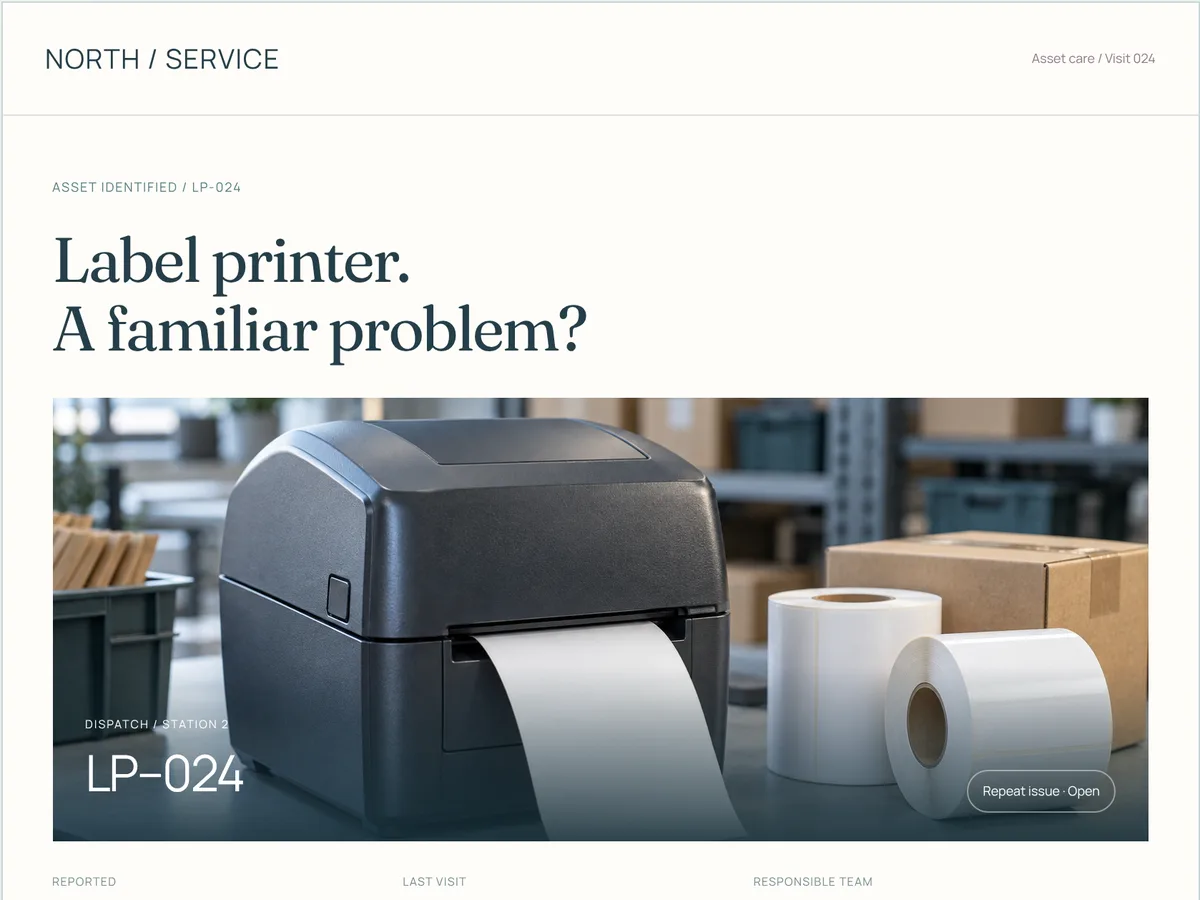
A technician arrives at a label printer with faint output. Before touching it they see its story: the last visit, the stock that was fitted, the guide that applies, and whether the part they might need is on the shelf. They record what they find against the current guidance, get a suggested next step, and the visit becomes actions, a parts request and a shared service record.
What people usually have
A job card with a one-line fault, a manual somewhere in the van, a phone call to whoever went last time, and notes that never make it back into the asset record.
What connecting it changes
Each visit starts from the machine’s history and adds to it. Guidance is versioned and attached to the equipment, so a fix learned once is used everywhere. Operations see repeat faults across sites, and a suggested next step stays a suggestion until a person confirms it.
What it would connect to
Learning built in
The right section of the right guide appears at the step it applies to. The record of each visit becomes the briefing for the next person, so experience stops leaving with the people who have it.
Fictional businesses, sample data and scripted AI responses. Nothing in the concepts is connected to a real system.
What we make
01
Checklists, inspections, approvals and job flows, built around how the work is really done and easy to use on a phone.
02
Member, partner and supplier portals, and an admin that opens on what needs attention.
03
Connections to the systems you run, so information is entered once and lands where it belongs.
04
Procedures and guides attached to the task they apply to, kept current in one place.
05
Practice, feedback and quick reference inside the working tool, with completions reported to your LMS where you need them.
06
Drafting, checking and suggesting the next step, with a person confirming and a record of who did.
How it works
Time with the people who do it: the task, the systems they switch between, and where things get retyped or lost.
Which system holds what, what the tool reads and writes, and what IT needs to approve, agreed before anything is built.
A working version on real screens with sample data, tried by the people who will use it.
Built in code, connected to your systems and tested on the devices in use.
We look after it, watch how it is used, and change it as the work changes.
The work
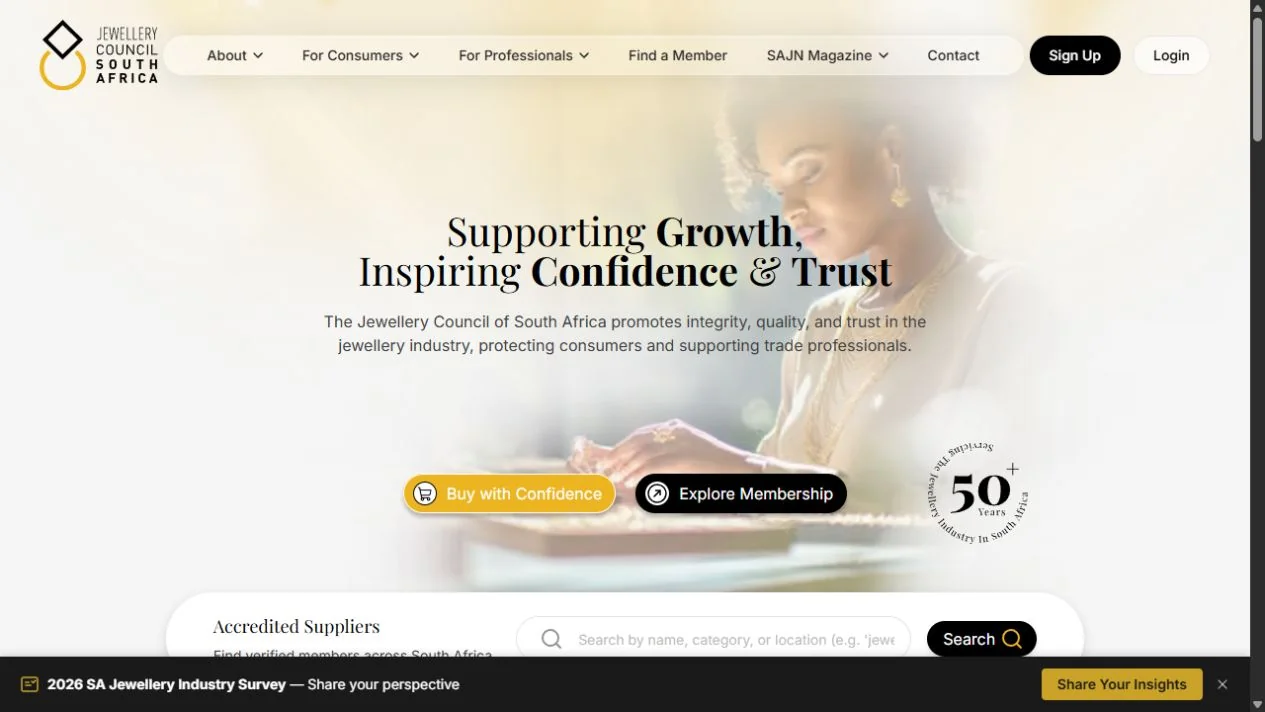 Jewellery Council of South AfricaA platform the Council runs on: applications, members, a public directory, and a badge that checks a member’s status every time it’s shown.Open the case
  Moissanite SAA store that largely runs itself: payments, courier bookings, quotes and invoices, with prices checked on the server.Open the case
 Questions
Often you should, and we will say so. Custom tools earn their place where the work crosses several systems, where the process is specific to your business, or where people need guidance at the step rather than in a separate course. In many cases we build a layer that connects the software you already have rather than replacing it.
Usually, yes. Most business systems have an API or an export we can work with. We map what the tool reads and writes with your IT team before anything is built, and where a system can’t be reached directly, an agreed import or export keeps the two in step.
No. Learning inside the tool can report completions to your LMS as SCORM or xAPI, so records stay where your learning team expects them.
Where it saves time without taking judgement away: drafting a note, checking it against your guide, suggesting a next step or summarising the day. A person confirms what matters, and we agree with IT where data goes before anything is switched on.
No. They are working concepts we built to show the pattern, with fictional businesses, sample data and scripted AI responses. The tools we build for clients belong to them, so we walk you through relevant work on a call.
Yes, and we recommend it. One task, one team and one or two connections, proved in use before anything grows. Our AI consulting often starts the same way, with a working prototype of the strongest opportunity.