
01 · Council team
Run the organisation.
Applications, members, accreditation, news, the SA Jewellery News and circulars, from one admin.
Jewellery Council of South Africa
The surface
One platform with three ways in. Staff run the organisation from it, members keep their own listings current, and the public can find a jeweller and check they’re accredited.
Over fifty years of standing in the industry, a member register held outside the website, and staff, members and the public each working somewhere different.
01 · One system
01 · Council team
Applications, members, accreditation, news, the SA Jewellery News and circulars, from one admin.
02 · Member businesses
Claim and edit their listing, branches and team, get their badge, and read circulars and resources in their own portal.
03 · Buying public
Search the directory by name or province, see every branch, and check a jeweller is accredited before they buy.
02 · Accreditation
Accredited members put the Council’s badge on their own websites and email signatures. Every time it’s shown, it checks the member’s status with the Council.
If a membership lapses, the badge simply stops appearing. The public never sees a seal that hasn’t been earned.
Example Jewellers
Fine jewellery · Est. 1988

Membership active: the badge shows, and links back to the member’s verified listing.
03 · Membership
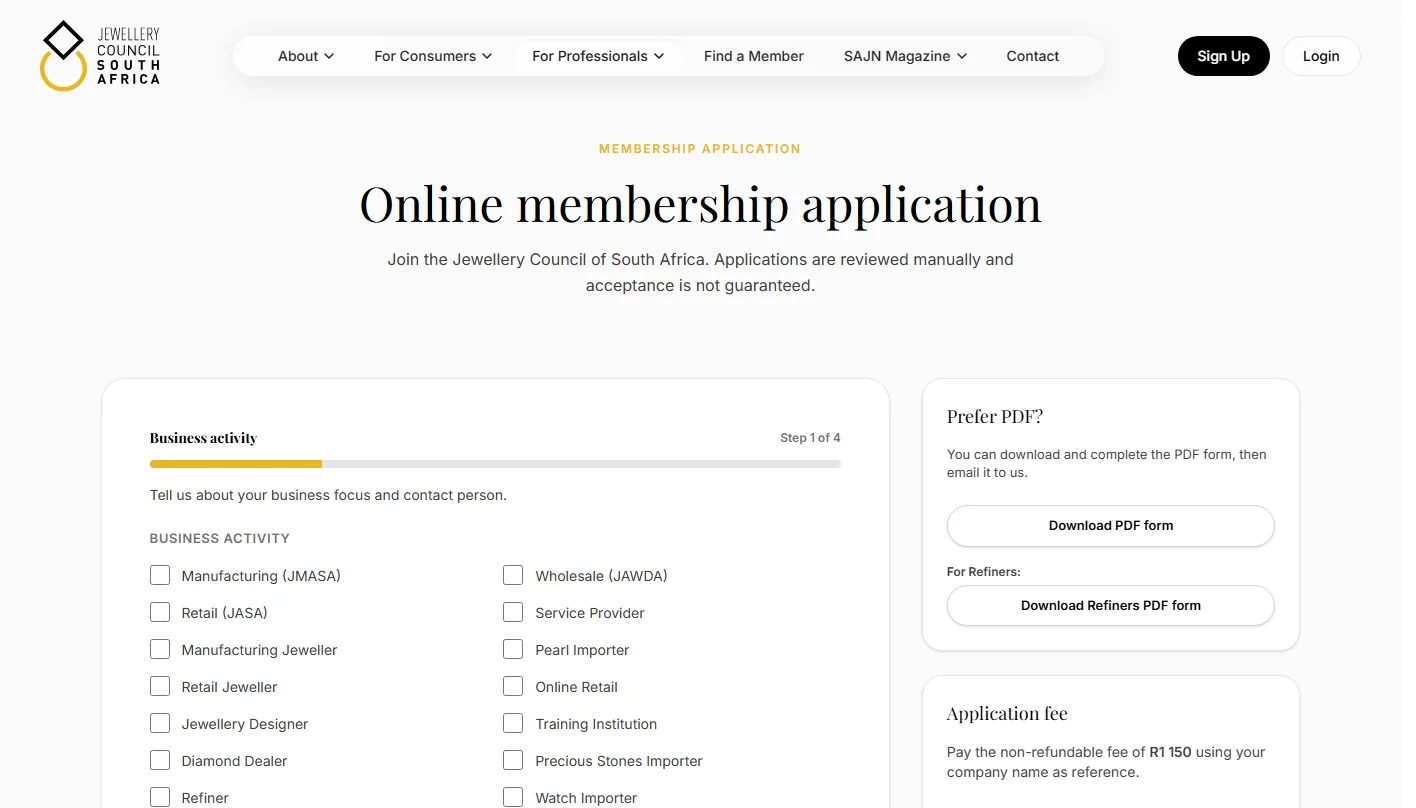
Joining is a four-step online application, with licences and references attached. Staff review it in the admin and, once it’s approved, turn it into a member record with a single action, then invite the business to activate its account.
04 · The directory
572 directory listings, reconciled against 530 member records, with every branch on a page of its own and marked up so search engines understand it.
Members can claim their listing from a secure link and keep it current themselves, so the Council isn’t the bottleneck.
05 · Running it
Applications, complaints, enquiries and orders come first, each with a live count. Circulars go to every member or to chosen member types as branded email, previewed and test-sent first.
Staff can view the portal as a member sees it, to help without guesswork.