A new system goes live, and everyone needs it on day one.
Hundreds of people, several roles and sites, and training that has to be ready before the switch is flipped.
Services eLearning development
We left the authoring tools behind. Our courses are built in code, so they rearrange for whatever device they’re opened on, connect to the systems around them and stay editable long after launch. Onboarding, system training and job aids, built around the way the work is really done.
You’ll recognise this
Hundreds of people, several roles and sites, and training that has to be ready before the switch is flipped.
The course opens on a phone, but it’s a desktop slide shrunk to fit: tiny text, buttons too small to tap, and learners who give up.
The process changes, but the course lives in an authoring file only one person can open, so the training quietly goes out of date.
Responsive, properly
Slide-based authoring tools such as Storyline lay a course out once, on a fixed slide, and scale that slide to fit the screen while keeping its shape. On a phone, that is a laptop slide at a third of the size.
We build lessons that rearrange for the device they’re opened on, so the text stays readable and every button is big enough to tap. Drag the edge of either screen and watch what each one does.
375px wide · Phone
Count the cases against the note, check the seals and look for damage. Once you sign, the stock is ours.
A case is damaged. What do you do first?
Drag the handle on either edge, or pick a device. Both screens are drawn at their real size and reduced equally to fit this page; a comfortable tap target is about 44px. Try the question on either one.
The system behind the course
The course people take. Responsive, immersive and tracked in your LMS, on whatever device it’s opened.
The system it runs on. Content held in one place, so an update is made once and reaches every module that needs it. Where it helps, your team gets a simple way to make changes themselves.
It’s a different way of working from building one course at a time. We’ll show you how it works in a demo.
Why we build in code
Storyline and Rise are good tools, and each has a ceiling: a fixed slide in one, a set of templates in the other. We climbed out of the authoring tools and build in code, so a course does what the learning needs rather than what the tool allows. It is custom, high-end work, and learners can tell.
Every lesson rearranges for phone, tablet and desktop, instead of shrinking a desktop slide to fit.
Anything a browser can do: practice in a copy of the real system, film, 3D, and scenarios that follow the learner’s choices.
Courses that open from a QR code at the workstation, draw on your systems where it helps, and report to your LMS.
Your typography, colour and tone throughout, designed for your people rather than a theme laid over a template.
No heavy player to load first, which matters when people learn on their own phones and their own data.
Real page structure that screen readers, zoom and browser translation work with, as they do on any good website.
What we make
01
Responsive, immersive modules packaged for your LMS, with tracking agreed with your LMS team up front.
02
Learner guides, facilitator guides and practice built around the screens people will actually use.
03
One-page job aids for the moment of need, the step people actually look up.
04
Process guides that open from a QR code where the task is done, so help is there when it is needed.
05
Short films and animated explanations that make an unfamiliar process easy to follow.
06
Converted from the finished course as a separate deliverable, at an additional fee, for teams that maintain their courses in Storyline.
How it works
The roles, systems and processes, and where people actually get stuck.
Scripts, guides and storyboards, reviewed with your subject experts.
Built in code and tested on the phones, tablets and laptops your people actually use.
Packaged for your LMS, or opened from a link or QR code, with reporting on who has completed what.
Updates made once in the system behind the course, and reaching every module that needs them.
The work
Learning we’ve built for
Plus training for teams in retail, financial services and conservation.
The learning we build is our clients’ intellectual property, so we don’t publish it here. Arrange a demo and we’ll walk you through the work, and the system behind it.
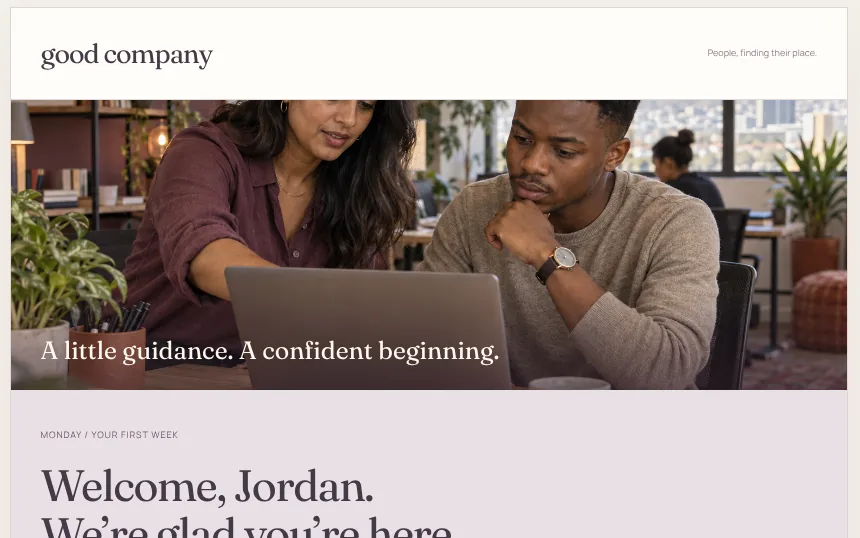 One you can try nowAn onboarding experience we built in code for ourselves: practice, feedback and guidance in one place.Have a look
 Questions
That the lesson rearranges for the screen it’s opened on: columns stack, pictures resize, text stays readable and buttons stay big enough to tap. Many courses described as mobile-friendly simply scale a desktop slide down to fit, which is why they are hard to use on a phone.
We build in code, because slide-based authoring tools scale a fixed slide rather than rearranging it, and limit what a course can do. If you need a Storyline version, for example because your team maintains courses in Storyline, we convert the finished course as a separate deliverable at an additional fee. It will behave like any Storyline course: scaled rather than responsive.
Yes. Courses are packaged as SCORM for your LMS, and we agree tracking with your LMS team before anything is built.
Yes. Because we build the system behind the course as well as the course itself, an update is made once and reaches everywhere it is needed, and your team can be given a simple way to make changes themselves. We’ll show you how it works in a demo.
Yes. System training is a large part of our learning work, including learner guides, facilitator guides and quick reference guides for enterprise rollouts.
Yes, in a demo. The courses we build are our clients’ intellectual property, so we don’t publish them, but we can walk you through work for organisations including Leroy Merlin on a call.